API monitoring & analytics
without the complexity
Tired of complex monitoring platforms? Apitally makes it easy to understand API usage, monitor performance, and troubleshoot issues. Just add a few lines of code.
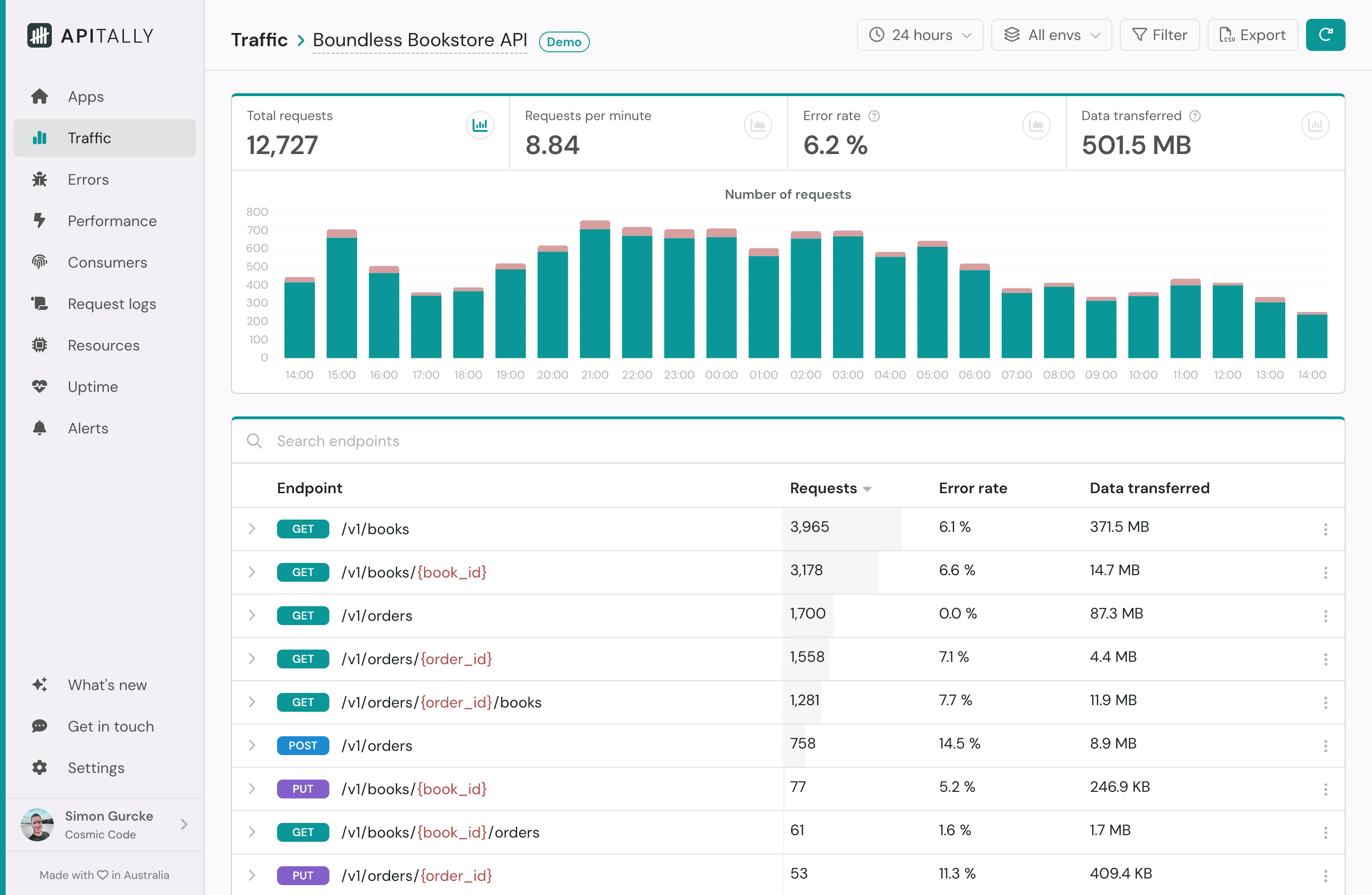
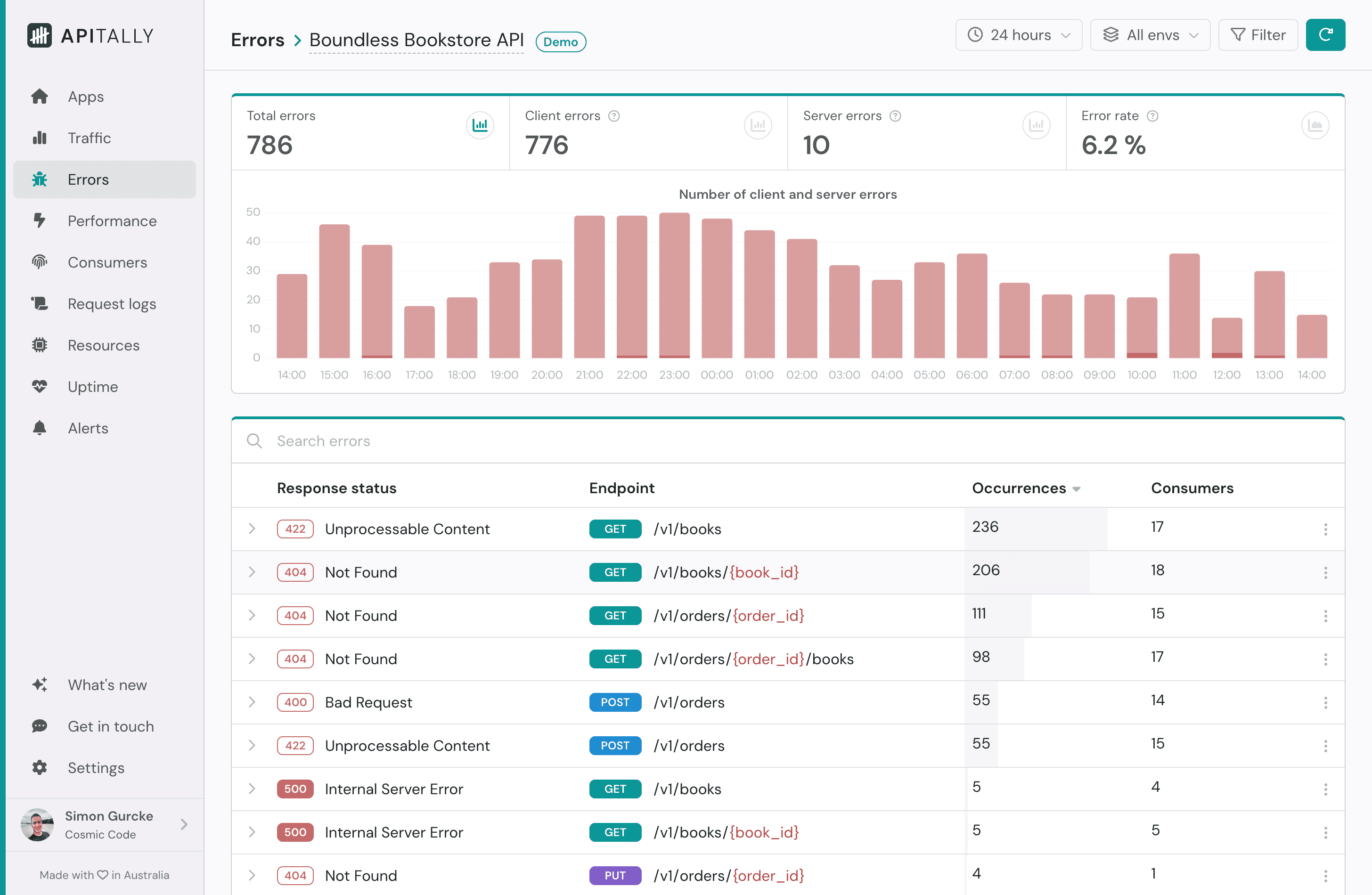
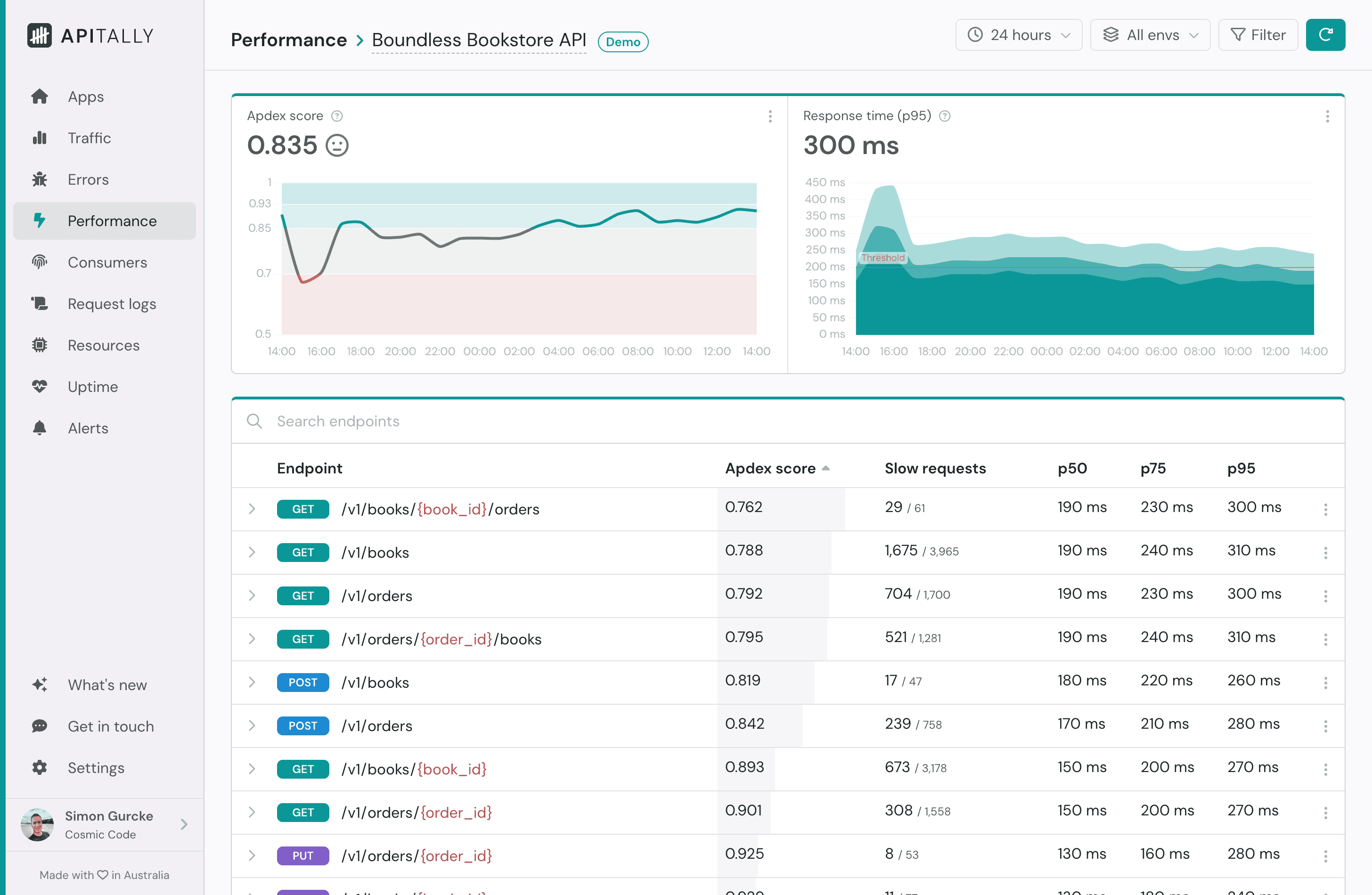
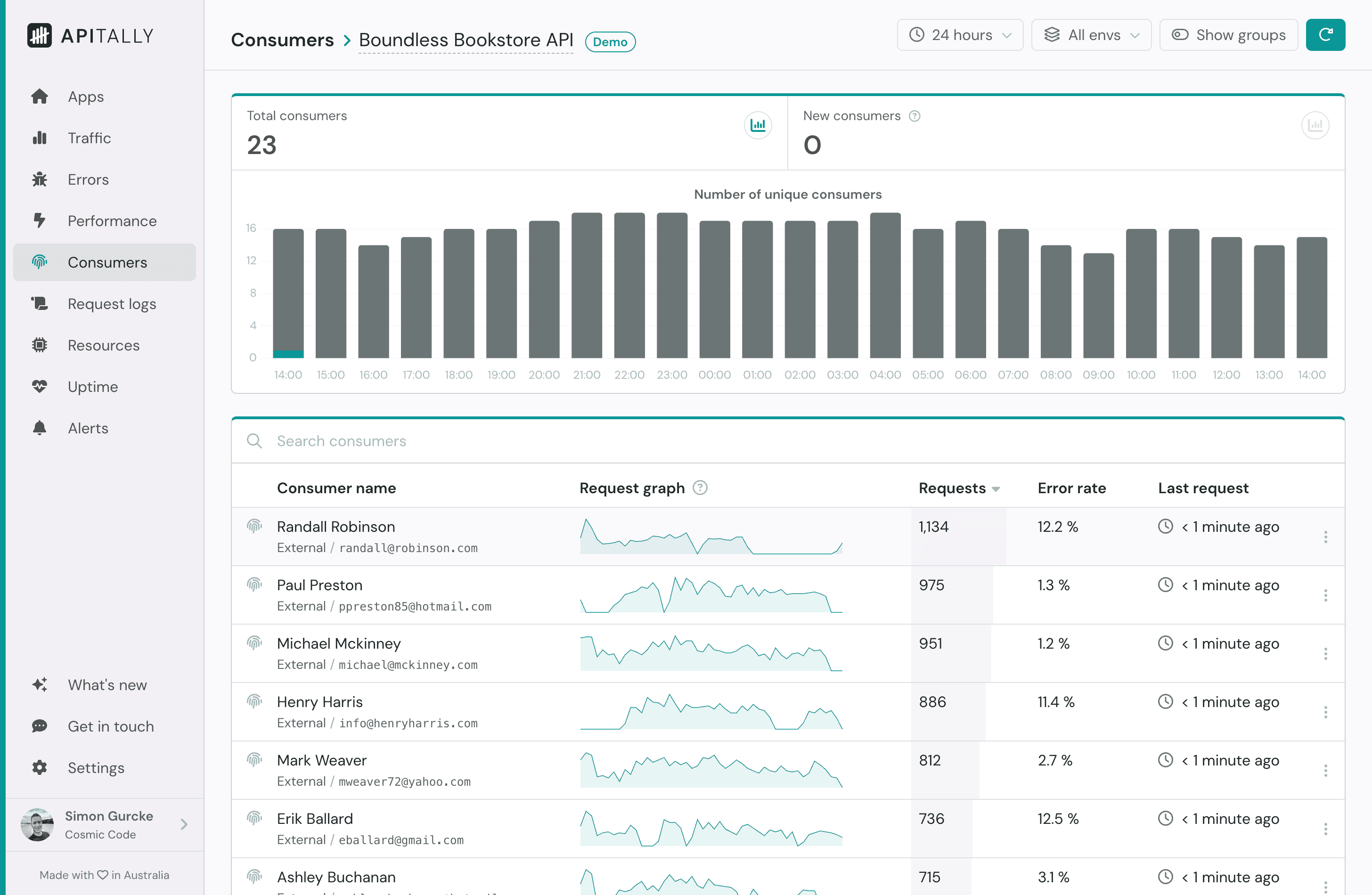








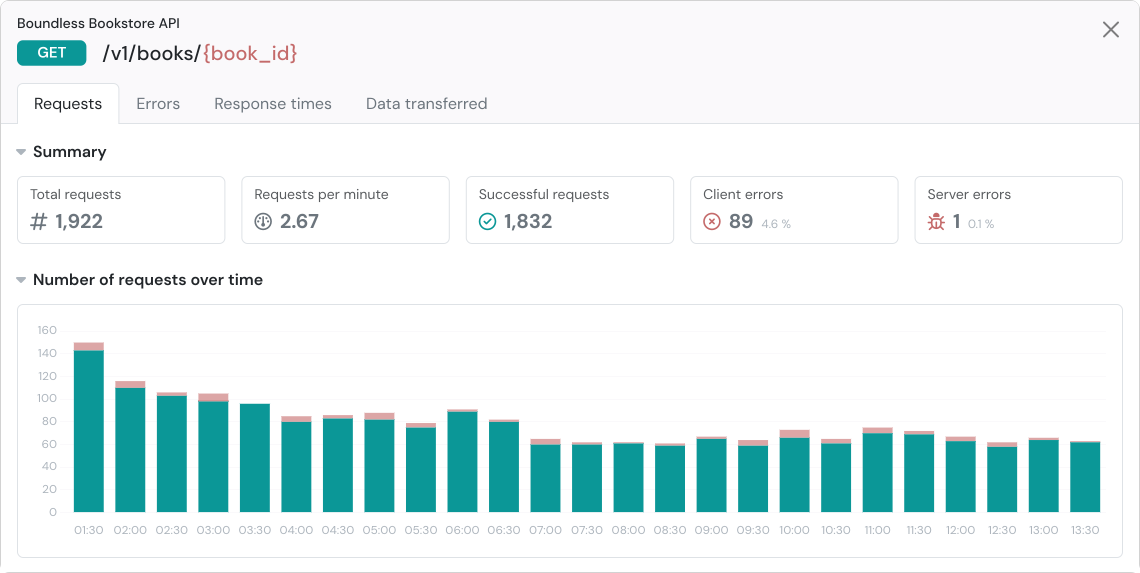
API metrics & analytics: Get actionable API insights with intuitive dashboards
Real-time visibility into your APIs helps you catch issues early and make data-driven decisions, leading to more robust APIs your users can depend on.
- Traffic: Track request volume over time, per endpoint and per consumer
- Errors: Monitor client and server errors, understand impact and root cause
- Performance: Analyze response times of your endpoints and identify bottlenecks
- Consumers: Measure adoption and see how individual consumers use your API
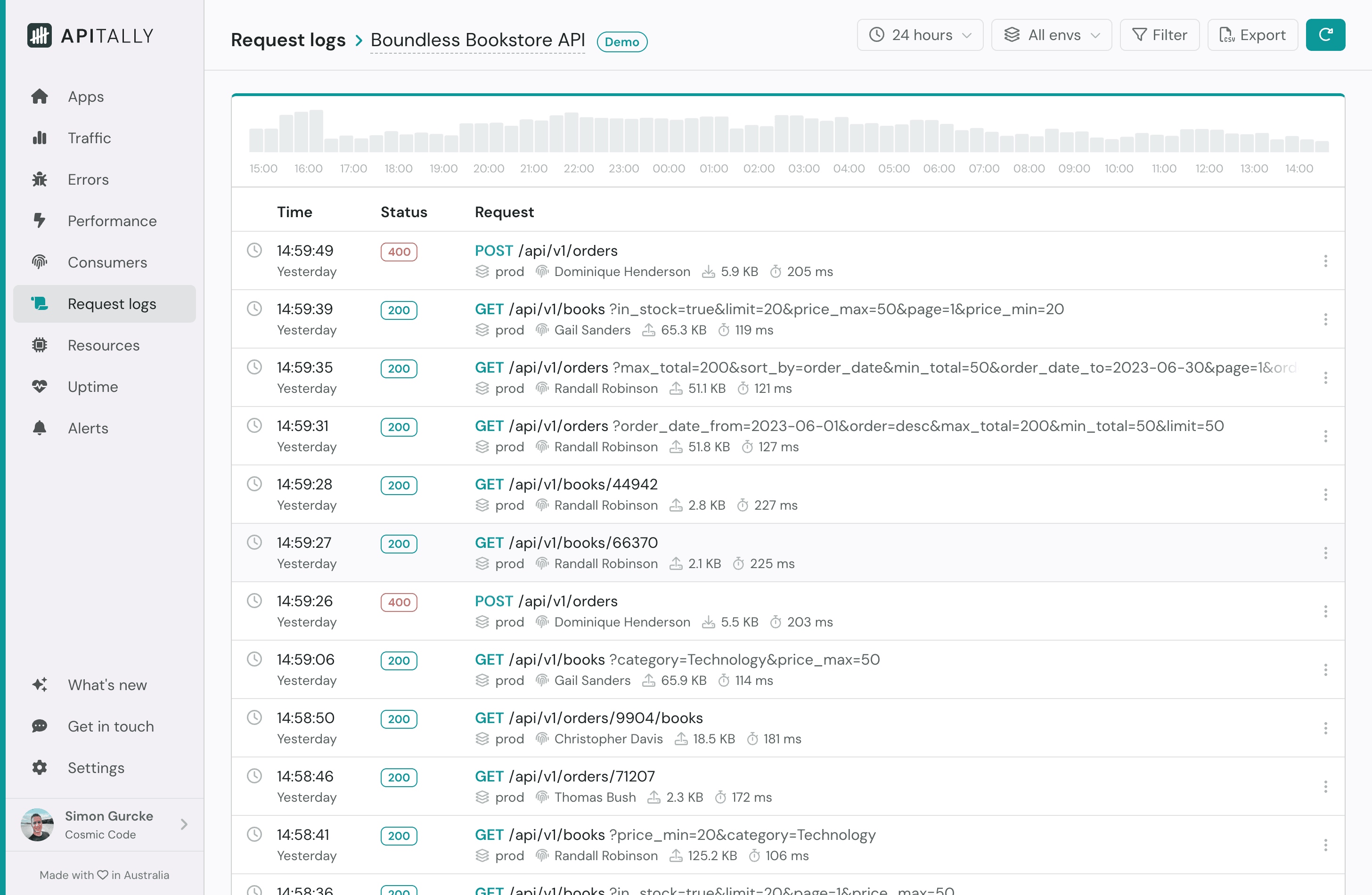
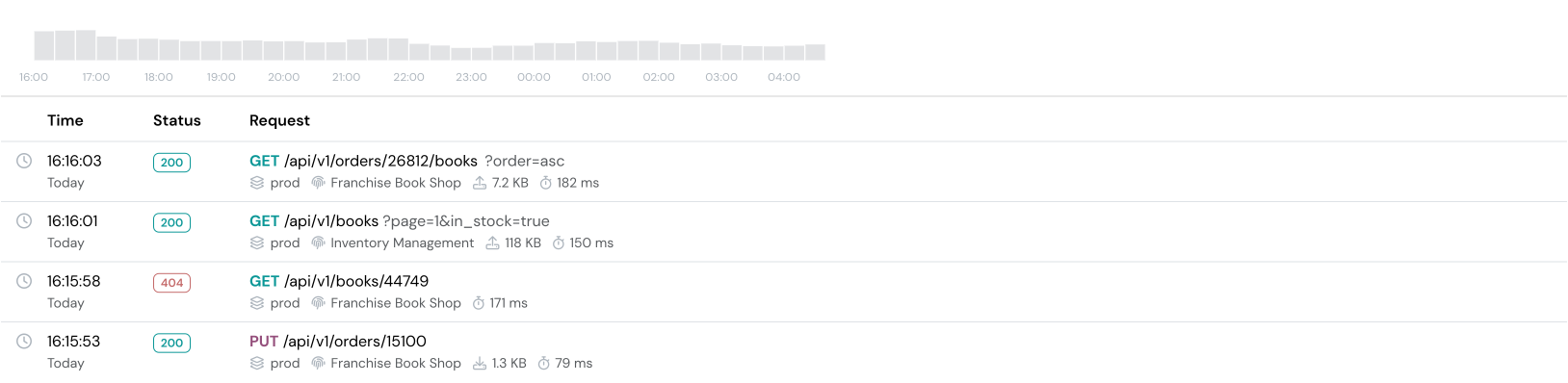
API request logs & traces: Log, find and inspect any API request and response
Drill down from high-level insights to individual API requests, or use powerful search and filters to find specific requests. Apitally brings all relevant context for a request into a single view.
- Headers and payloads: Inspect all details of the API request and response
- Application logs: View correlated logs emitted during request handling
- Traces: Pinpoint slow database queries, external API calls, and other bottlenecks
Request logging is optional and works independently of our analytics and monitoring features.
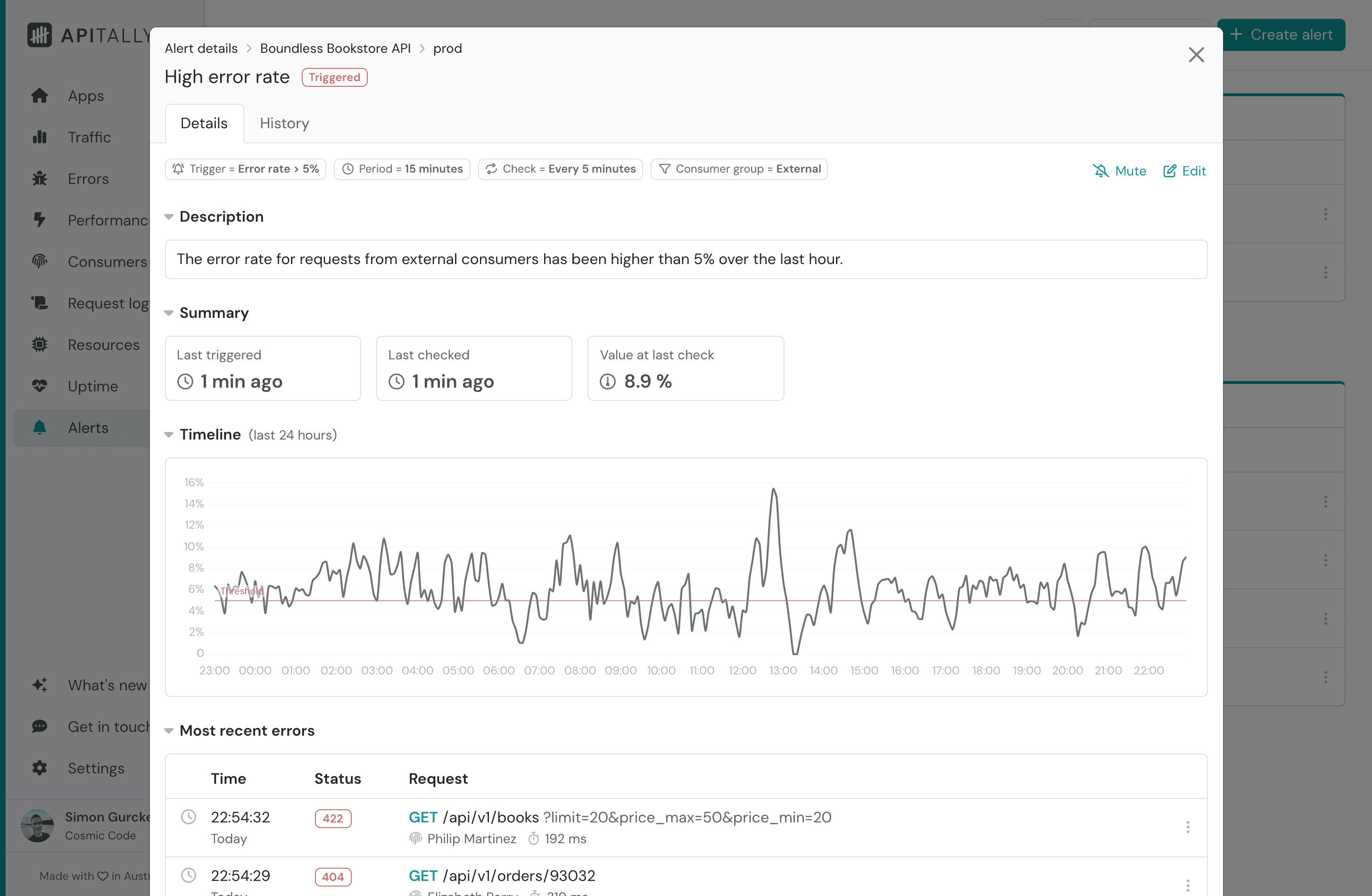
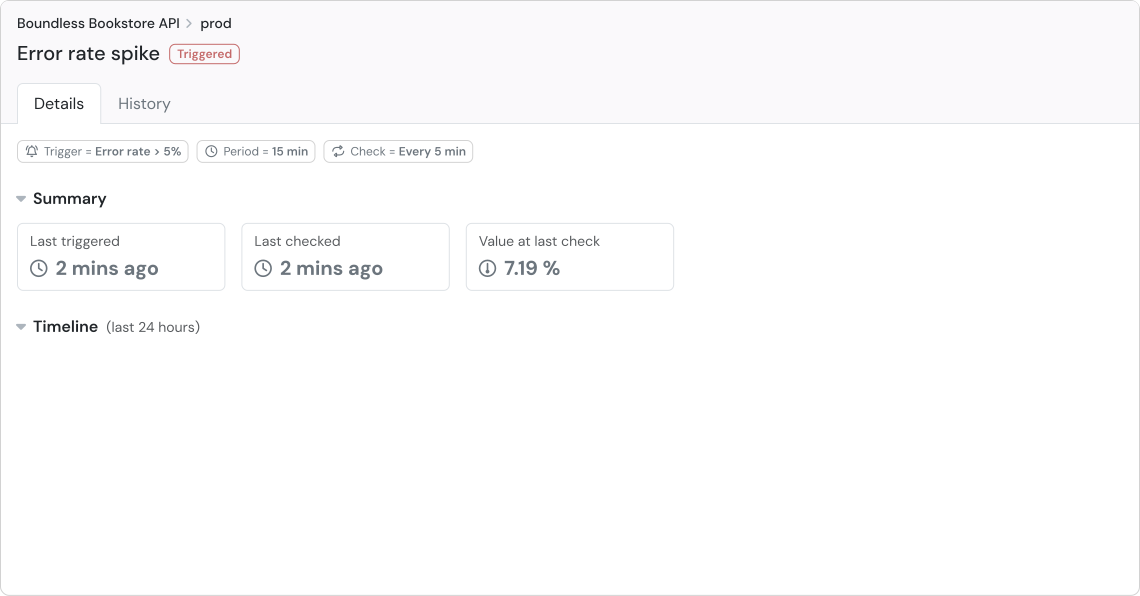
API monitoring & alerts: Know about API problems the moment they happen
Get notified immediately if something isn't right, so you can address it before it impacts consumers. Whether it's downtime, traffic spikes, errors or performance issues, Apitally has you covered.
- Custom alerts: Configure thresholds for 14 different traffic, error and performance metrics and get notified when they are breached.
- Uptime checks: Get notified when your application stops sending regular heartbeats to our servers.
- Health checks: Monitor your API's availability through synthetic HTTP GET requests sent to a specified endpoint at regular intervals.
Other benefits: Made for developers and product owners
Testimonials: What our users are saying


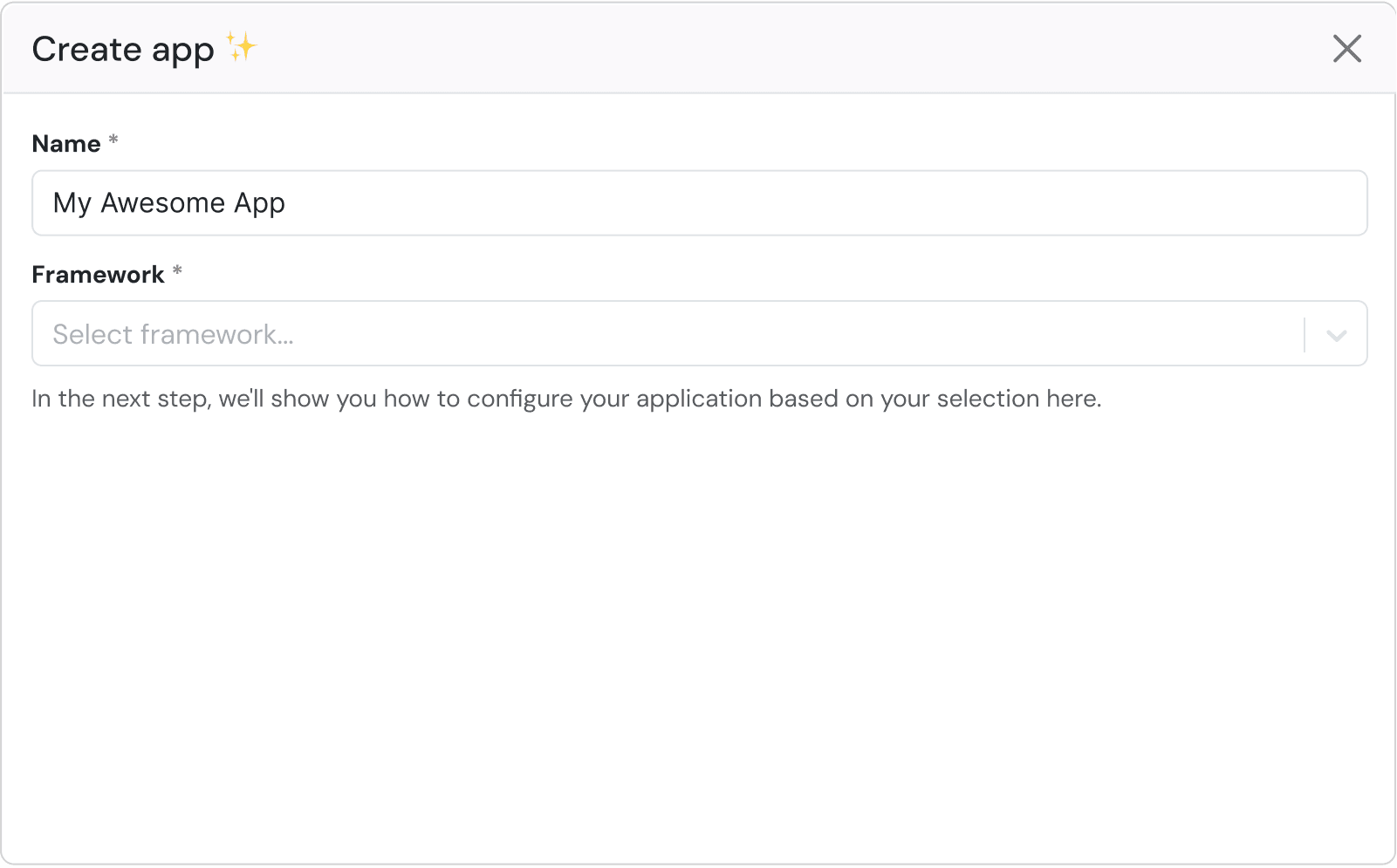
Easy setup: Get started in 3 simple steps
import apitally
from fastapi import FastAPI

app = FastAPI()
apitally.init(
    app,
    write_token="your-write-token",
    env="prod",  # or "dev"
)
Pricing: Choose the right plan for you
Try Apitally free for 14 days, then decide which plan best suits your needs. No credit card required at sign up.
- 1 app
- 1 dashboard user
- 100 API consumers
- Unlimited API requests for metrics
- 1M request logs / month
- Application logs & traces
- Slack & Teams integration
- 3 apps
- 3 dashboard users
- 1,000 API consumers
- Unlimited API requests for metrics
- 5M request logs / monthOverage: $2.00 per 1M
- 20M logs & spans / monthOverage: $1.00 per 1M
- Slack & Teams integration
- 10 apps
- Unlimited dashboard users
- Unlimited API consumers
- Unlimited API requests for metrics
- 25M request logs / monthOverage: $2.00 per 1M
- 100M logs & spans / monthOverage: $1.00 per 1M
- Slack & Teams integration
Frequently asked questions: Learn more before you dive in
Can't find the answer you're looking for? Reach out via email or on Slack and we'll get back to you as soon as we can.
There's no limit on the number of API requests processed for metrics and analytics, since these rely on aggregated data, but request logs, application logs and traces are subject to monthly quotas.
If you exceed the API consumer limit for your plan, you'll enter a one-time grace period. During this time, you can either upgrade to a higher plan or reduce usage to stay within limits. If the grace period ends and you're still over the limit, Apitally will stop ingesting data from your apps.
If you exceed your monthly quota for request logs, Apitally will stop ingesting new requests until the quota resets at the start of the next month. This won't affect your API metrics. The same applies to application logs and traces.
On the Starter and Premium plans, you can enable usage-based billing at any time under Settings > Billing in the dashboard. It's off by default. If enabled, ingestion continues beyond your monthly quotas, and you're charged for the extra usage at the overage rates shown in the pricing section above.
For API metrics, the Apitally SDKs record the method, path, status code, response time and payload sizes of each request, and combine them into counts and histograms within your application before sending them to Apitally. Aggregated metrics are retained for 13 months.
Request logs capture the details of individual requests, such as the URL, client IP address, user agent, response headers and response time, along with related application logs and traces. Request headers and request and response bodies are only captured if you enable them. Request logs, application logs and traces are retained for 15 days, with longer retention available on request.
The SDKs mask sensitive query parameters, headers and body fields by default, and you can add your own masking rules or exclude requests from logging. Masking and filtering happen within your application, before any data is sent to Apitally. Read more about data collection, privacy controls and retention in our docs.
Apitally currently supports the following web frameworks:
- AdonisJS (Node.js)
- ASP.NET Core (C#)
- BlackSheep (Python)
- Chi (Go)
- Django Ninja (Python)
- Django REST Framework (Python)
- Echo (Go)
- Elysia (Bun)
- Express (Node.js)
- FastAPI (Python)
- Fastify (Node.js)
- Fiber (Go)
- Flask (Python)
- Gin (Go)
- H3 (Node.js / Deno / Bun)
- Hapi (Node.js)
- Hono (Node.js / Bun)
- Koa (Node.js)
- Litestar (Python)
- NestJS (Node.js)
- Starlette (Python)
Please let us know if you're interested in using Apitally with a framework that is currently not supported.
Apitally supports Cloudflare Workers via a Logpush integration and our Serverless SDKs. These currently support Hono and FastAPI.
You can find more details in our setup guide for Cloudflare Workers.
Support for other serverless platforms may be added in the future based on user demand.
Apitally offers a CLI and agent skill that give AI agents like Claude Code, Cursor, and Codex full access to your API metrics and request logs. We chose this approach over MCP because it's more token-efficient and reliable, while giving agents richer investigation capabilities.
Read more about it in our blog post.